

HDC FM
The drawing archive built around your buildings
Store, find and use every drawing, model and document across your property portfolio. HDC FM links them to buildings, floors and spaces, so the right information is always one click away, and always up to date.
Find any drawing in seconds
Navigate by building, floor and space, or search across every document, including what’s inside them.
Trust what you’re looking at
A read-only master archive and strict versioning mean the drawing on screen is the current one.
Turn floor plans into data
Spaces hold areas, tenants and functions, and can be coloured, filtered and updated right on the plan.
In the browser
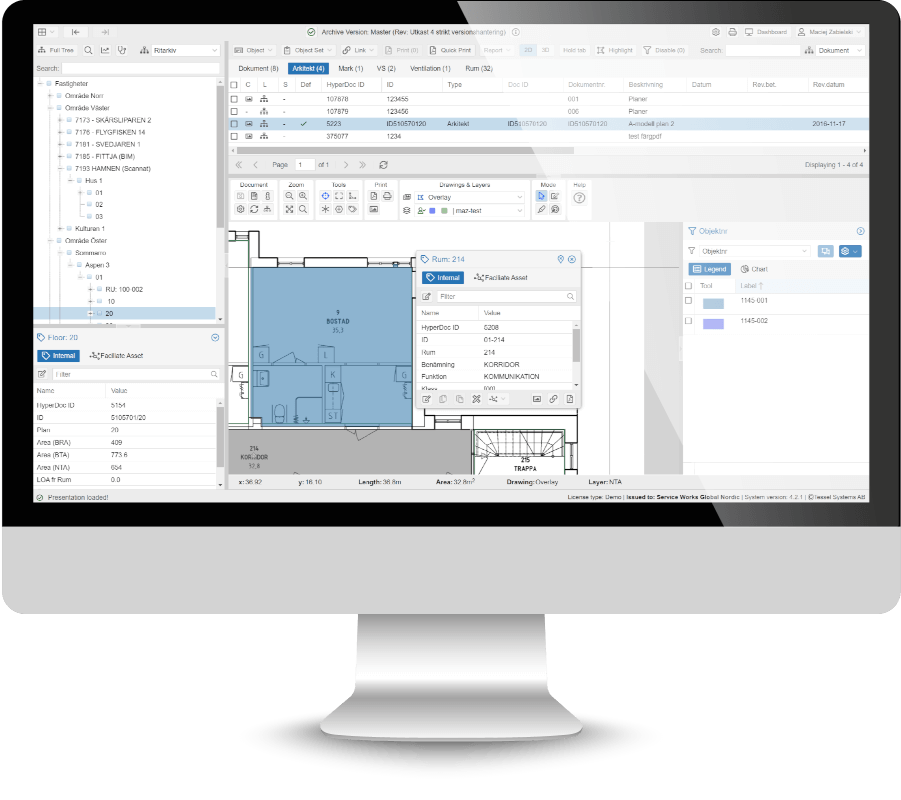
A desktop-class workspace, no installation required
HDC FM runs in any modern web browser with a responsive interface that feels like a desktop application. Archive, drawing, properties and filters side by side, on one screen.
Capabilities
Everything you need to run a drawing archive
Unified archive
All your building information in one place, whatever the format.
- BIM models, CAD drawings and scanned images
- Spreadsheets, documents and maps
- GIS map layers via TMS and WMTS, including OpenStreetMap
- Uniform handling regardless of source
Visual space management
Work directly on the drawing instead of in spreadsheets.
- Colour code and label spaces visually
- Select several objects and update them at once
- Changes appear on the drawing in real time
- Interactive overlays on scanned drawings
Visual filters & live data
Ask questions about your portfolio and see the answers on the plan.
- Colour spaces by area, function or tenant
- Show live data from external FM systems
- Display IoT sensor readings on the floor plan
- Spot patterns across floors and buildings
Search & navigation
Browse by structure or search by content.
- Navigation tree: building, floor, space, document
- Quick search across the entire archive
- Advanced queries you can save and reuse
- Search inside document content
Measure, mark up & print
The tools you’d use on paper, only faster and shareable.
- Measure distance, area and angles
- Shared redline notes, originals untouched
- Print templates, macros and scale rulers
- Export to archival PDF/A
Version control & history
A complete, trustworthy record of every change.
- Read-only master archive
- Strict or relaxed versioning
- Drafts for safe surveying and editing
- Publishing workflow and full audit trail
Change management
Report issues exactly where they are and follow them to the end.
- Pin change requests to a spot on the drawing
- Track status from new to resolved
- See what’s yours and what’s assigned to you
- Works on desktop and mobile
Configuration & data exchange
Adapts to your organisation, not the other way round.
- Configure types, attributes and views in a GUI
- No programming, no data loss when you change
- Schema translation and layer mapping
- Master GUIDs keep objects consistent across systems
Security & access control
A complete, enterprise-grade identity platform. Included in every subscription.
- Single sign-on with OpenID Connect and SAML 2.0
- Connects to your identity provider: Microsoft Entra ID, ADFS and more
- LDAP and Active Directory user sync
- Multi-factor login with authenticator apps, security keys or passkeys
- Permissions down to individual objects and fields
HDC FM Mobile
The archive in your pocket
HDC FM Mobile brings drawings and building data to the people who walk the buildings. Everything is synced with the archive, so what you see on site is what the office sees.
Browse & edit
Open objects and documents and update them on the spot.
Change requests
Create, assign and follow up requests from the floor.
One-touch PDF
Print any drawing to PDF with a single tap.
Metadata & versions
Edit metadata and switch between document versions.
Redline & vectors
Mark up drawings and edit vector objects directly.
Notes with photos
Attach pictures to notes to document what you see.
QR & barcode scanner
Scan a label and jump straight to the right asset.
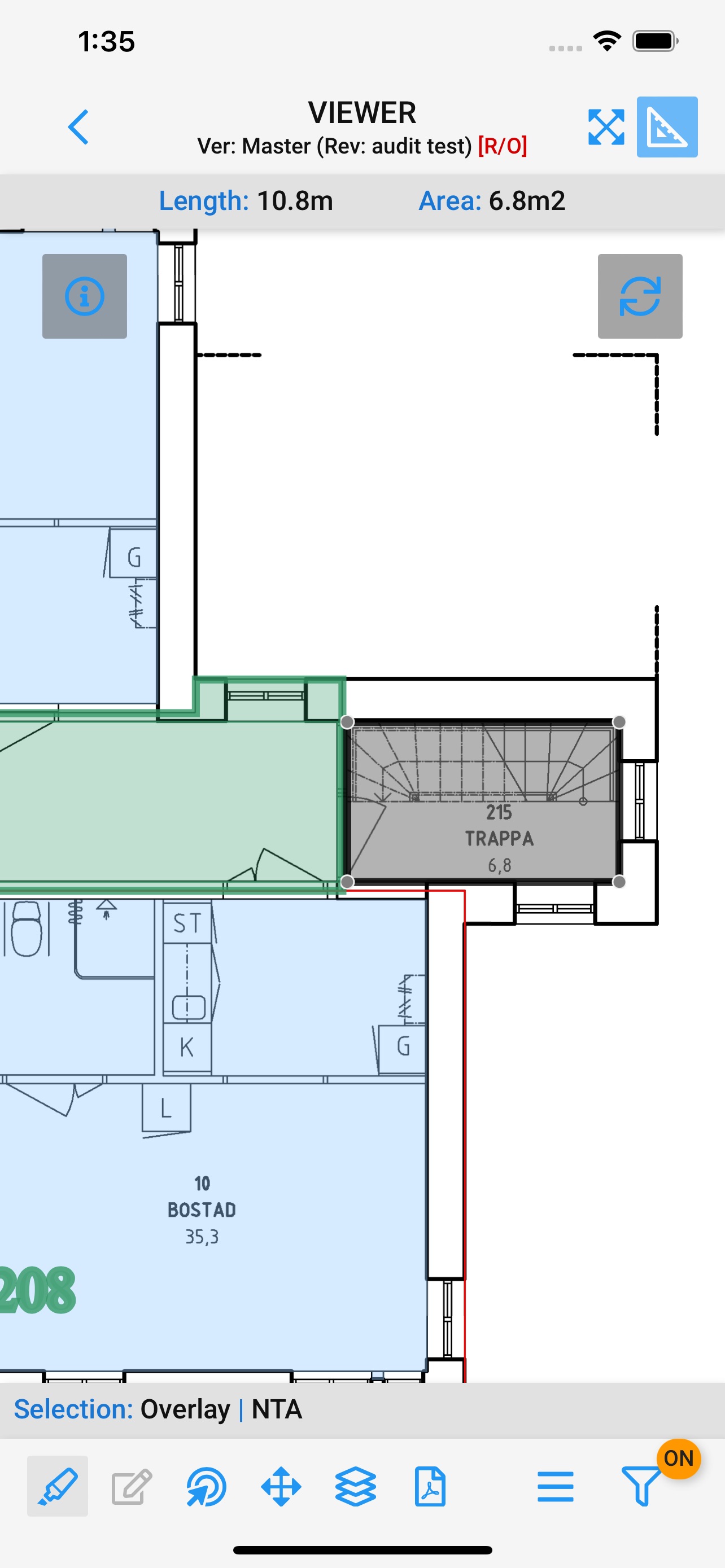
Measure on the floor plan
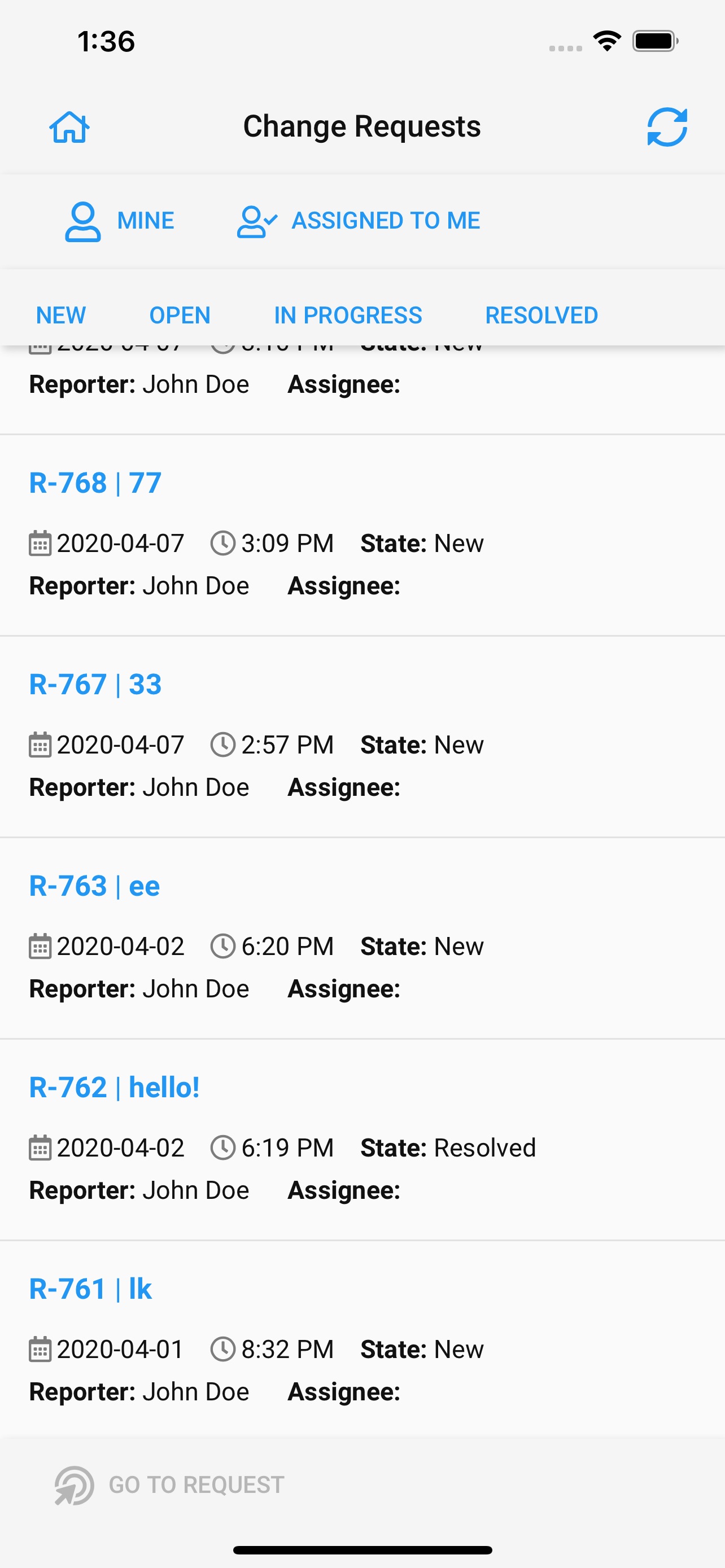
Follow up change requests
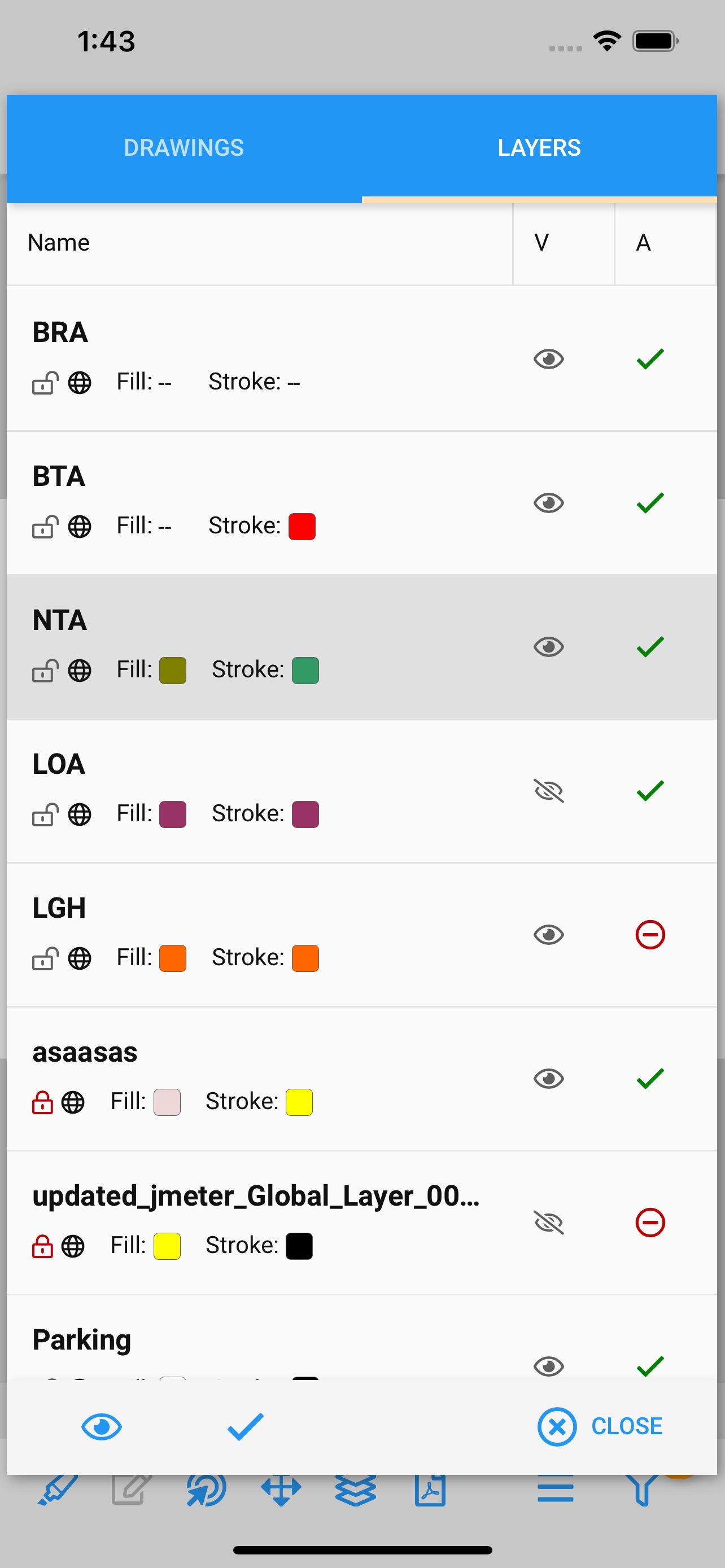
Control drawing layers
See HDC FM on your own buildings
Book a personal demo and we’ll show you how HDC FM works with the drawings and data you already have.
Book a demo